EvalAssist Projects
Every public page we've built: campaign landing pages, programme reports, audience pages and product demos.
Dashboards (inside the app)
Screenshots of the live dashboards, taken 6 Oct 2026 with the demo accounts (no real student data). Click to see full size.
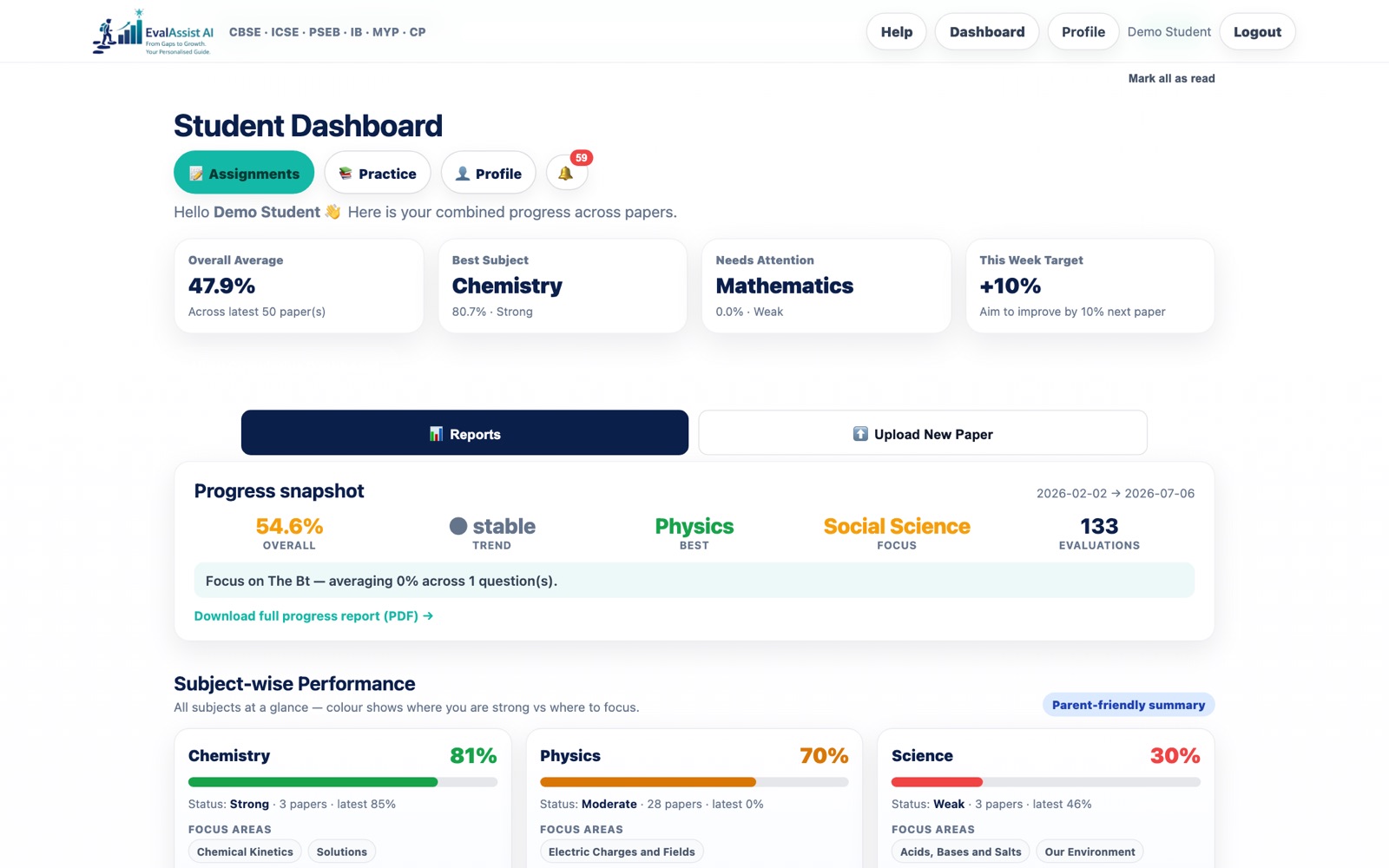
Student dashboard
Overall average, best subject, what needs attention, a progress snapshot and subject-wise focus areas across every paper.
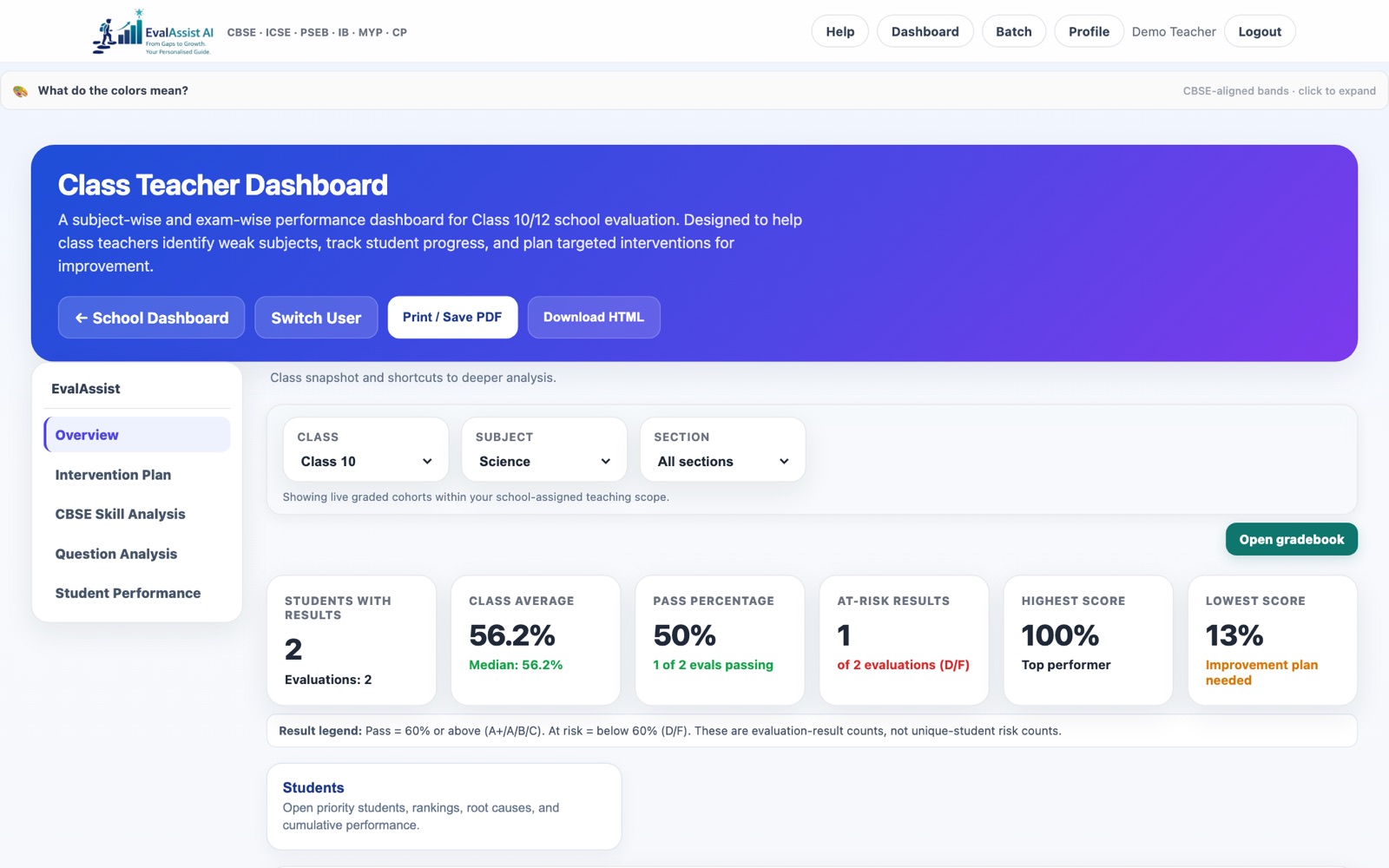
Teacher dashboard
Class, subject and section filters; class average, pass %, at-risk results; intervention plan, CBSE skill and question analysis.
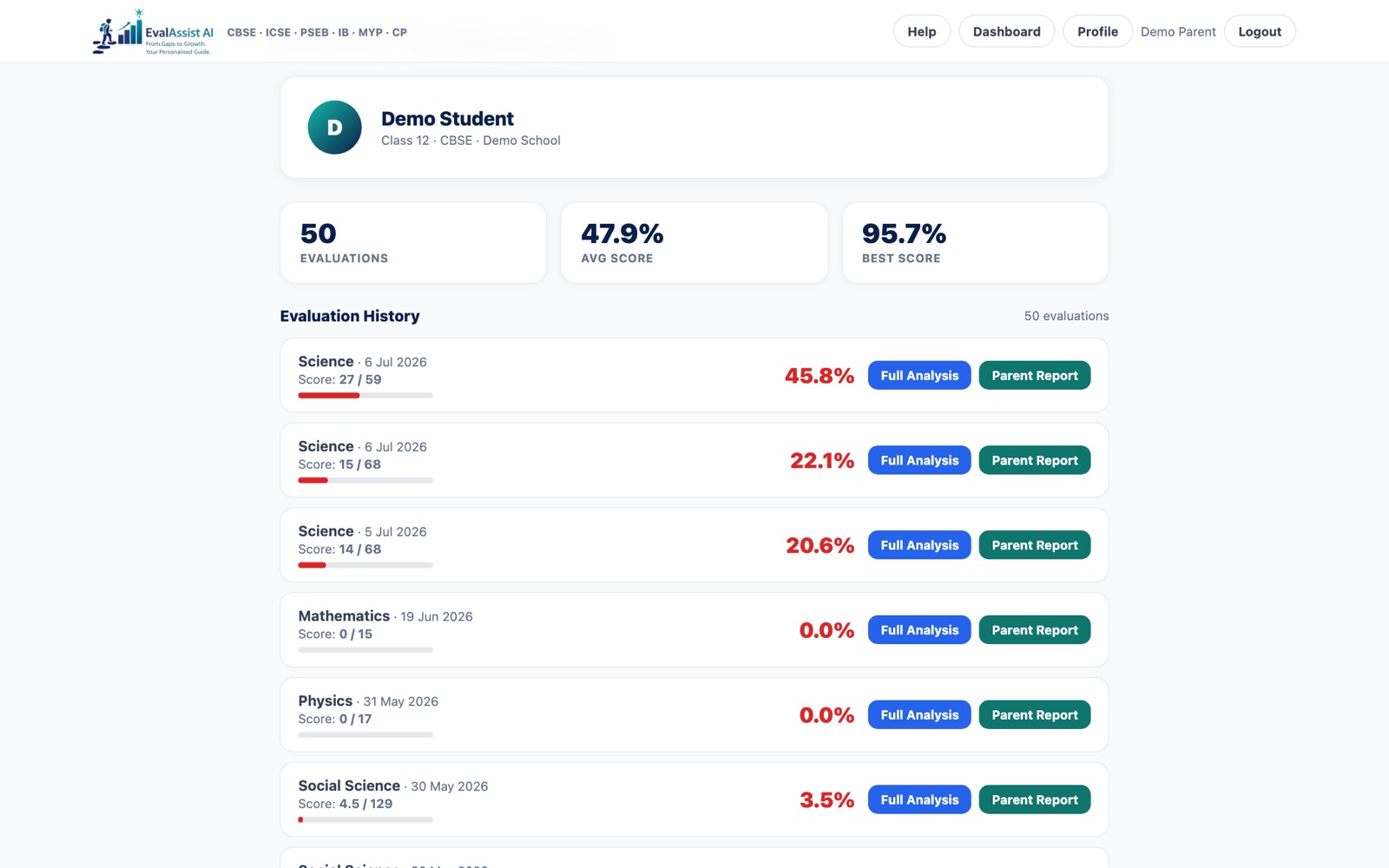
Parent dashboard
Linked children, evaluations, average and best score, and every paper with its Full Analysis and Parent Report.
Recognition
Proposals & decks 🔒 Password
School solutions deck: Salwan Schools 🔒 PDF
“From strong teaching to measurable skill growth”: how EvalAssist turns CBSE skill analysis into teacher action. 16 slides.
Two-month free pilot proposal: Salwan Schools 🔒 PDF
Classes 10 & 12, Boards + JEE/NEET: baseline → Pre-Board 1 → remediation → Pre-Board 2, with roles, impact measures and terms. 8 pages.
Parent webinar deck: Class 10 & 12 🔒 PPT
Webinar for Board-year parents: the common problems (marks without reasons, late feedback, guesswork revision) and how EvalAssist fixes them. 14 slides.
Ad campaigns
Parents' webinar: where board marks slip Sun 11 Oct
Free 45-minute live session for CBSE Class 10 & 12 parents: Sunday 11 October, 12:00 PM IST on Google Meet, in English and Hindi. A real answer sheet analysed live.
Dr. Marks — a full check-up behind the marks New
Upload your child’s answer paper. Dr. Marks examines every answer and gives a lab-style report of strong and weak topics, and why.
Pre-board campaign Live ads
“Got your pre-board marks? What next?” for Class 10 & 12 students. Verify email, upload question paper + answer sheet, get a free analysis. Call & WhatsApp, Google + Meta tracking.
EvalAssist for parents New
“Know exactly where your child is losing marks.” Parents of CBSE Class 10 & 12 students register for a free diagnostic.
EvalAssist: how it works (parents) New
Full parent story: the problem, the end-to-end flow, a parent's week, a sample report, the two apps, and pricing.
The journey: students & parents New
Step-by-step journey with a student / parent switch: from writing a test on paper to the marked report, the weekly plan and progress, and what each of them gets.
Pre-board campaign (original)
First version of the pre-board landing page: sample test and topic analysis, without the lead form or Meta tracking.
Reports & case studies
Lilawati Vidya Mandir: Class 10 & 12 case study New
1,756 answer sheets and 35,050 questions graded end to end: subject and section heatmaps, weakest chapters, skill gaps, reviewer checks and lessons. No student names.
How EvalAssist Works
Sales overview: the evaluation engine, how a programme runs on it, and results from the 2026 course run.
SATHEE Course Run 2026 — Punjab & Puducherry
Interactive study covering subjects, attempts and results: 814 students and 2,893 evaluated papers. Student identities hidden.
Heritage Schools: end-to-end grading
Walk-through of a Class X pre-board paper graded end to end on EvalAssist.
Main site & audience pages
Homepage Current
EvalAssist homepage with Parent / Student / Teacher tabs: “See exactly which topics your child is strong in, and where marks are slipping.”
Homepage (previous)
“Every answer sheet, scored against the CBSE marking scheme.” The CBSE-aligned homepage used until 6 Oct 2026.
For schools
“From answer sheets to actionable improvement.” School-facing pitch page.
For schools (previous version)
Earlier school-facing homepage: evidence behind every mark gained or lost.
“From Gaps to Growth”
Student-facing page: handwritten answers turned into personalised learning feedback.
Student journey intelligence
“From marks to meaningful academic intelligence and future path.” Positioning for Classes 5–12.
Rubrics & marking-scheme reference
“Every marking scheme. Every rubric. One evaluation engine.” CBSE, ICSE, PSEB, IB and Cambridge.
EduDNA
“Every child deserves their own EduDNA.” 360° student growth profile for schools.
About EvalAssist AI
Company story, mission and team.
Demos & trials
See EvalAssist in action
Product demo page with sample evaluations and reports.
The Principal's Brief
“Know your board-result risks before they become board results.” Pitch for principals.
Evaluate a paper: upload flow
Click-through demo of uploading a paper and getting it evaluated.
Snap & Explain
Snap a photo of any question and get an explanation. No sign-up needed.
Shadow Week trial
“Try EvalAssist with zero risk.” A trial week for schools alongside their own marking.
Login, sign-up & upload
Every page where people log in, register, or upload answer sheets today.
Log in
Sign up / register
Student sign-up + paper upload New look
Email code → upload question paper + answer sheet (PDF or photos) → thank-you page. Report is checked by our team before it is sent.
Parent sign-up + paper upload New look
Same flow for parents, with the child's name at upload. Opens the sample report after sign-up.
School self-registration ⚠️ Needs fix
School name, city, board and admin account. The code-entry step after submit doesn't appear yet, so sign-up can't finish.
School inquiry form New
Pilot inquiry for principals and coordinators. Goes to the team inbox.
Contact / book a demo
Lead form for schools, parents and partners.
Upload answer sheets
Student dashboard upload Logged in
Logged-in students upload a paper from their dashboard; it is graded automatically. /upload redirects here.
Teacher batch portal Teachers
Upload a class set of answer sheets for one paper and see results per student.
Batch evaluation (older) Teachers
Older batch-evaluation page: one question paper + many answer sheets. Overlaps with the batch portal.
Assignments Teachers + students
Teachers create an assignment and bulk-upload sheets; students submit their own; teachers review, override and publish.
Snap & Explain No login
Snap a photo of one question and get an explanation. Not a full paper upload.